
An old problem most people gave up on
When was the last time you used voice input?
Maybe it was speech-to-text in a messaging app, voice navigation while driving, or perhaps you almost never use it.
Voice input has existed for decades. Dragon NaturallySpeaking was already a commercial product in 1997. macOS, Windows, Android, and iOS all include voice dictation. Yet the feature has remained stuck in an awkward state: usable, but not good enough to become a default.
The reasons are familiar. Cloud voice input has network latency, often around several hundred milliseconds. It can lag when the connection is poor. Users avoid it in sensitive contexts because audio goes to the cloud. Accuracy is inconsistent. Mixed-language input can break the experience.
Keyboard typing may be slower than speaking, but it is stable, private, predictable, and low-friction.
Voice input failed to replace the keyboard not because the need is fake, but because the product experience was not good enough.
That is the opening Wispr Flow found. In 2024, the YC-backed team used a desktop voice input product to become one of the most discussed AI productivity tools and a standout Product Hunt launch.
What does it do?
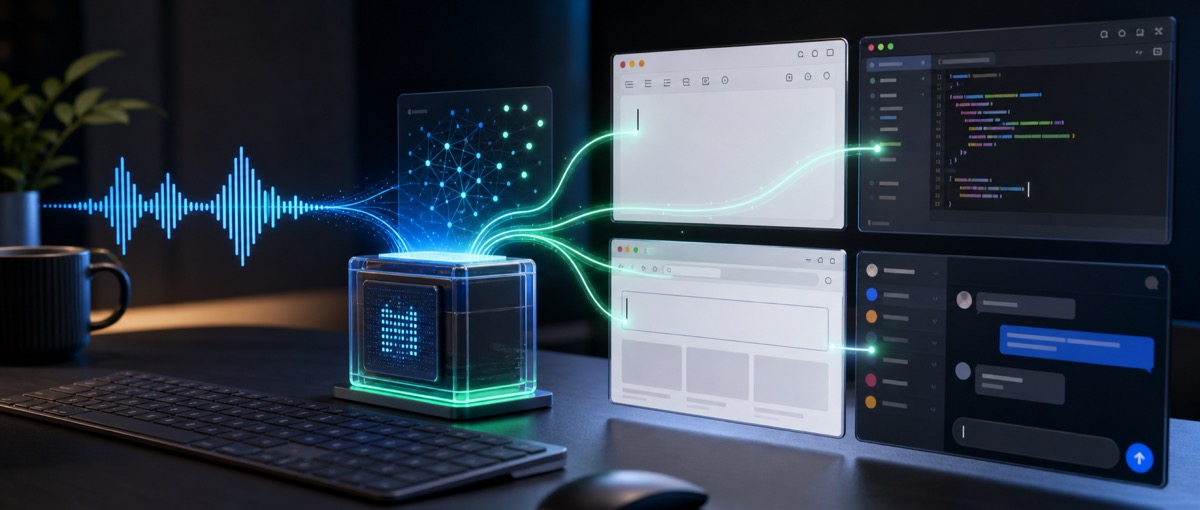
Wispr Flow has a simple interaction model. In any text field, the user holds a hotkey, speaks, releases, and text appears immediately.
There is no separate writing interface. There is no need to open another app, upload audio, wait for transcription, copy the result, and paste it back. The workflow is press, speak, and continue.
That differs from traditional dictation in three ways.
First, inference runs locally. Audio does not have to travel to a remote server before text appears. That makes latency stable and keeps the product useful even when the network is weak.
Second, the product integrates at the operating-system level. It is not a feature inside one app. It can work in VS Code, Notion, Slack, browsers, terminals, and other places where users already type.
Third, the product treats speech as a writing workflow, not just raw transcription. It can infer punctuation, formatting, and context while the user speaks.
The value is not that Wispr Flow invented speech recognition. The value is that it made speech input feel close enough to typing to be used repeatedly.
Productization: why this time is different
Wispr Flow’s most useful lessons are product decisions.
1. Local models as a business judgment
Most AI speech products choose cloud processing because larger models are easier to run centrally and can be updated quickly. Wispr Flow made a different bet: for voice input, latency matters more than maximum model capacity.
Users can accept ChatGPT thinking for several seconds if the answer is good. They cannot accept dictation that feels delayed after every sentence. If speech input lags beyond the user’s rhythm, the interface feels broken.
Local inference has tradeoffs. Smaller local models may sometimes be less accurate than the best cloud systems. But Wispr Flow’s judgment is that low latency and flow matter more for retention than a slight accuracy advantage.
That judgment applies beyond voice. AI products should not ask only what produces the highest benchmark score. They should ask which dimension the user cares about most in the moment of use.
2. Do not change the workflow
Wispr Flow does not ask users to adopt a new writing environment. It inserts itself into the place where typing already happens.
Many AI tools require a context switch: open a chat, paste content, write a prompt, wait, copy the answer, return to the original app, and edit. Every switch creates friction.
Wispr Flow replaces one step: keyboard input. The rest of the workflow remains the same.
The best AI productization often makes the AI disappear. Users should feel that the task became easier, not that they have to manage another AI interface.
3. A sharp first experience
The first useful experience is fast. Install, press the hotkey, speak, and watch text appear. A new user can understand the product’s value in less than a minute.
That matters because many AI products have poor first-run experiences. They require signup, onboarding, prompt learning, parameter choice, and a wait for uncertain output. One bad first attempt can end the trial.
Wispr Flow’s first experience is a product demo and a working workflow at the same time.
Commercialization
Wispr Flow uses a SaaS subscription model.
The visible structure is roughly personal plans for individual users, team plans with administration and collaboration features, and a free trial path for evaluation.
The pricing is positioned as productivity software rather than entertainment. A user does not pay because voice input is fun. They pay if it saves enough time and typing effort to feel like a work investment.
That creates a clear ROI frame. If the product saves a user a few hours of typing each month, the monthly subscription can be justified. As the product improves multilingual support, domain vocabulary, and team deployment, higher pricing may become possible.
Growth
Wispr Flow’s growth path is a classic product-led cold start.
Product Hunt created the first wave of attention. The product was easy to demonstrate, and early adopters could understand the value quickly.
Technical communities amplified the story. Developers and power users are especially receptive to local models, keyboard shortcuts, and system-level productivity tools.
Demo videos were powerful because the product can be understood in seconds. Watching a user press a hotkey, speak, and see text appear is enough to communicate the core benefit.
Word of mouth then carried it through writing, productivity, and programming communities. The product is easy to recommend because it solves a problem users already understand.
Three builder lessons
1. Old problems can be better opportunities than new categories
AI attention often moves toward new categories: AI video, AI coding, AI agents. Wispr Flow shows another path. A decades-old problem that was never solved well can become attractive when AI changes the product constraints.
Users do not need education about what voice input is. They only need a version that finally feels good.
2. Know where confidence is required
Wispr Flow’s local-model decision reflects a strong belief: latency is the fatal flaw in voice input. The team accepted tradeoffs in model size and deployment complexity because it believed this dimension mattered most.
Every AI product needs a similar decision. Which dimension must be excellent, and which weaknesses can the product tolerate?
3. PLG works when the product is the hook
Many Product Hunt launches fade because users arrive and find the product merely interesting. Wispr Flow can keep attention because the first use can produce a real behavioral change.
The product itself is the hook. Growth is the result, not the substitute.
Risks to watch
Platform companies are the largest threat. Apple, Microsoft, and Google can improve local dictation and reduce Wispr Flow’s differentiation. Mobile expansion is another question because the keyboard and voice-input dynamics differ from desktop. Multilingual quality, especially for non-Latin languages, will affect global adoption. Individual subscriptions also face churn risk if users return to old habits after the initial excitement.
Wispr Flow is not trying to change every part of computing. It solves one old problem well. In the 2024 AI market, that focus may be exactly what makes it valuable.
The original source relies on publicly visible product information. Pricing, rankings, and plan details may change over time and should be verified before purchase or investment decisions.